
Introduction: Why Every Modern Supermarket Needs a Smart Locker Strategy
Walk into any large supermarket on a Saturday afternoon, and you’ll see the same scene playing out at the entrance: shoppers juggling coats, backpacks, reusable shopping bags, and personal items while trying to grab a cart. Some leave bags unattended in a corner. Others haul everything around the store, slowing their shopping and increasing the risk of theft or loss.
For decades, supermarkets relied on simple mechanical lockers — coin-operated boxes with metal keys that got lost, jammed, or needed constant staff attention. Those days are ending. Today’s smart storage lockers combine electronic access, automated billing, remote monitoring, and data analytics into a single self-service system that runs with zero staff involvement.
But not all smart lockers are created equal. A system designed for a gym may not survive the high-traffic, high-moisture environment of a supermarket. A cheap imported unit may fail within months, leaving you with a hallway full of non-functional metal boxes and angry customers. Choosing the right system requires understanding access methods, billing logic, build quality, software capability, and total cost of ownership.
In this guide, we break down everything a supermarket operator, facilities manager, or retail buyer needs to know before investing in a barcode self-service locker system — from core features and placement strategy to ROI calculations and vendor evaluation.
The Real Cost of Not Having Smart Lockers in Your Supermarket
Before diving into product features, it’s worth understanding what inadequate storage actually costs your business. Most supermarket operators underestimate the impact.
1. Lost Dwell Time and Reduced Basket Size
A shopper carrying a heavy backpack or a bulky coat is a shopper who leaves earlier. Research consistently shows that shoppers who store their bags spend 15–25% more time in the store — and more time in the aisles directly translates to larger baskets. A shopper with free hands is more likely to browse, pick up impulse items, and visit additional departments.
2. Increased Theft and Liability
Unattended bags in a supermarket create two problems: they can be stolen (leading to customer complaints and potential liability), or they can be used to conceal shoplifted merchandise. A smart locker system eliminates both issues — every bag is in a locked, individually-accessed compartment, and every access is logged.
3. Staff Time Wasted on Storage Issues
How many times per day does your customer service desk handle a lost locker key, a jammed locker door, or a customer who forgot their PIN? In a high-traffic supermarket, it can be 5–15 incidents per day, each taking 5–10 minutes of staff time. That’s 25–150 minutes per day — or roughly 2–12 hours per week — spent on storage-related issues instead of serving customers.
4. Poor First Impression
The entrance is the first thing customers see. A row of clean, modern, well-lit smart lockers signals “this store invests in customer experience.” A pile of abandoned bags and a broken mechanical locker bank signals the opposite. In competitive retail markets, first impressions matter more than ever.
Core Features of a Barcode Self-Service Locker System
A professional-grade supermarket smart locker is not just a metal box with an electronic lock. It’s an integrated system with hardware, software, and operational logic designed for high-frequency public use. Here are the features that matter most.
1. Multiple Access Methods for Every Shopper Type
Different shoppers prefer different access methods, and a system that only offers one will frustrate a significant portion of your customers. Look for a system that supports:
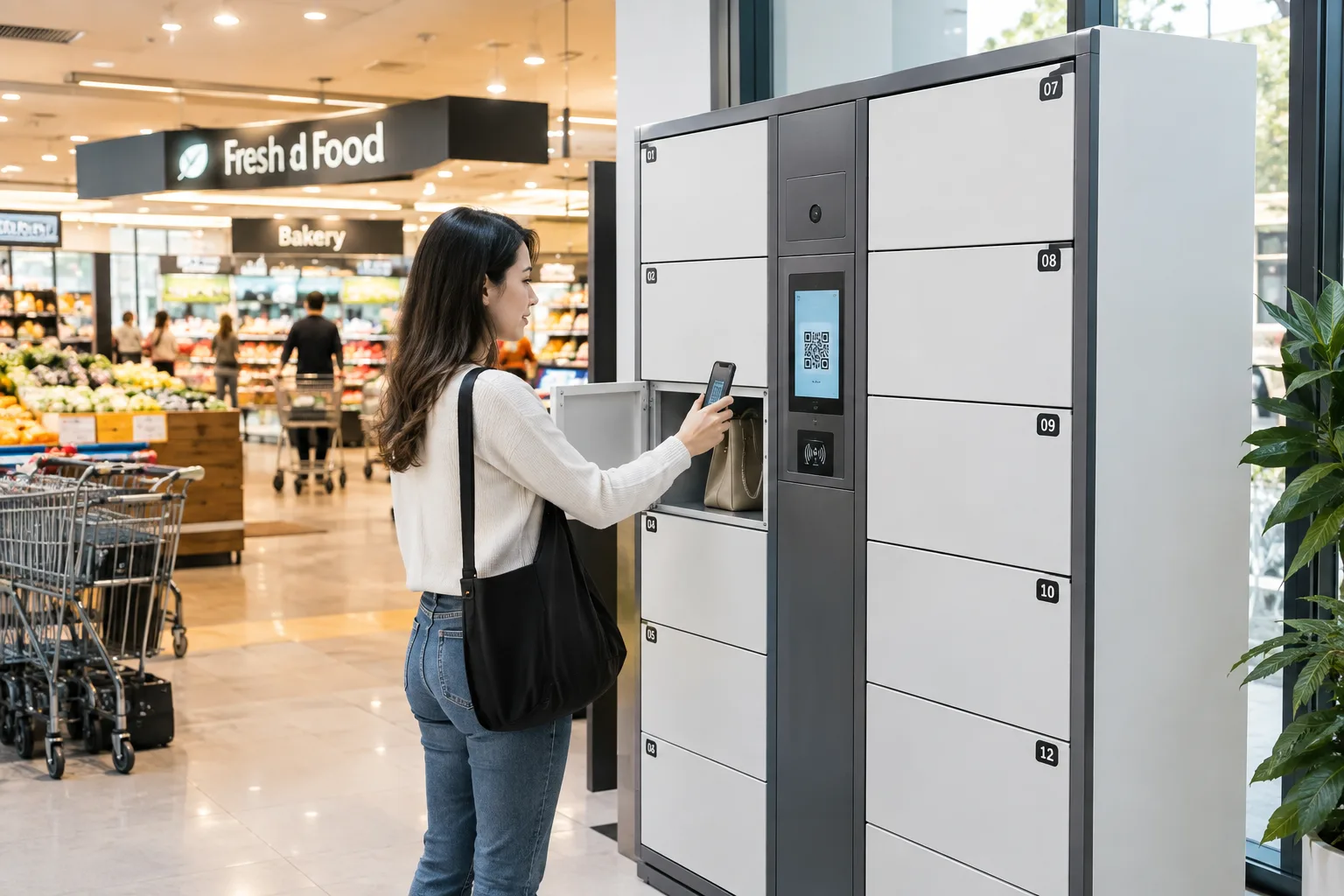
- Barcode / QR code scanning — The most common method for supermarkets. Shoppers receive a printed barcode or scan a QR code on their phone. Fast, no app required, ideal for one-time users.
- PIN code entry — A reliable fallback for shoppers who lose their barcode or have a dead phone. No physical credential to misplace.
- RFID card / membership card — For supermarket loyalty program members, the same card that earns points can open a locker. Increases membership engagement.
- Fingerprint recognition — Useful for repeat shoppers or staff lockers. Ties access directly to an individual, eliminating shared credentials.
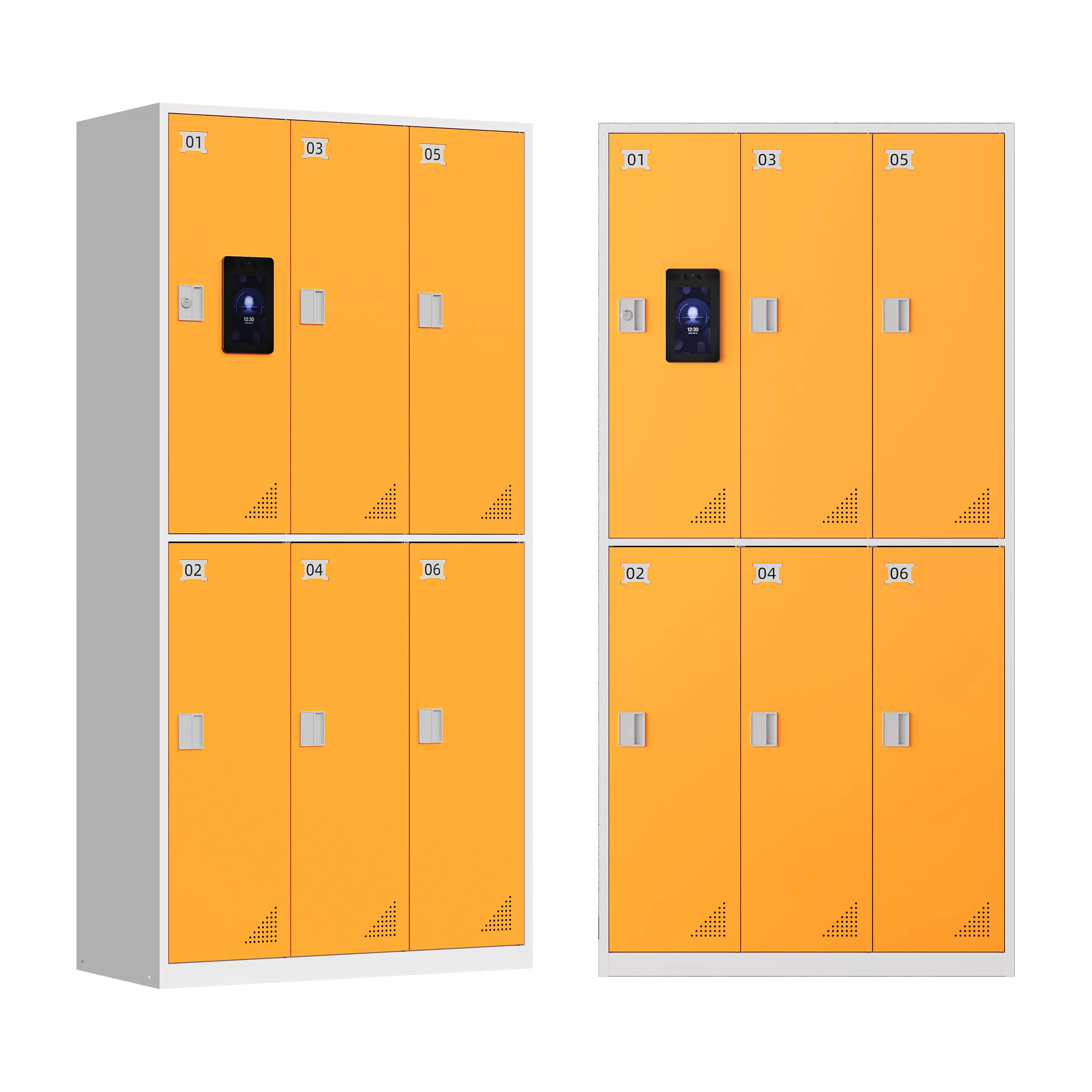
- Nhận diện khuôn mặt — Premium option for high-end supermarkets. Completely contactless, fastest access, but requires shoppers to opt in.
Pro tip: For supermarkets, barcode + PIN is the minimum viable combination. Barcode is the primary method for most shoppers, and PIN serves as a reliable fallback when barcodes get lost or damaged.
2. The “Halfway Function” — A Feature Supermarkets Can’t Ignore
Imagine this scenario: A shopper stores her bag and jacket, then shops for 45 minutes. At checkout, she realizes her wallet is in her stored bag. With a traditional locker, she would have to end her storage session, retrieve her wallet, and then start a new storage session — paying twice.
The halfway function (also called mid-session access) solves this. It allows a shopper to temporarily open their locker, retrieve or add items, and close it again — all without ending the storage session or incurring additional charges.
This feature is especially critical for supermarkets, where shopping trips are long and shoppers frequently need access to wallets, phones, shopping lists, or reusable bags mid-trip. Lockers without this function generate customer frustration and double-charging complaints.
3. Flexible Billing Logic That Matches Your Business Model
Supermarkets have different storage strategies. Some offer lockers as a free amenity to drive foot traffic. Others charge by the hour to generate ancillary revenue. The right system should support all of these models:
- Free mode — No charge, used as a customer convenience amenity. Common in high-end supermarkets and loyalty-focused chains.
- Hourly billing — Charged by the hour, with a free grace period (typically 15–30 minutes). The most common paid model.
- Daily / per-use pricing — Flat fee for the entire shopping trip. Simple for customers to understand.
- Peak / off-peak pricing — Higher rates during busy weekends and holidays, lower rates during quiet weekday hours. Optimizes utilization.
- Overtime fees — Automatic additional charges if a shopper leaves items overnight or beyond the paid period. Prevents locker hoarding.
- Membership integration — Free or discounted storage for loyalty program members. Drives sign-ups and repeat visits.
4. Payment Method Customization by Region
Payment habits vary dramatically by country, and a locker system that only supports one payment method will underperform. A capable manufacturer should support:
| Payment Method | Phù hợp nhất cho |
| Cash / coins | Emerging markets, older demographics, low-tech environments |
| Banknotes | High-value storage, large supermarkets |
| Card payment | Developed markets, cashless societies |
| QR code payment | China (WeChat/Alipay), SE Asia (GrabPay), global (PayPal) |
| Mobile wallet | Apple Pay, Google Pay, Samsung Pay |
| Membership account deduction | Loyalty program members, prepaid accounts |
Critical: If you’re operating in multiple countries or regions, confirm that the manufacturer can customize payment methods for each market. A system that works in China may not work in Germany, and vice versa.
5. Remote Management and Real-Time Data
The biggest advantage of a smart locker over a mechanical one is the ability to manage it remotely. A professional backend system should provide:
- Real-time status monitoring — See which lockers are occupied, available, or out of service, from any device.
- Remote door control — Open a locker remotely if a customer loses their barcode or forgets their PIN, without sending staff to the unit.
- Usage analytics — Track peak hours, occupancy rates, average storage duration, and revenue per locker. Use this data to optimize placement and pricing.
- Automated alerts — Get notified when a locker is tampered with, a door is left open, or the system goes offline.
- Multi-location dashboard — If you operate multiple supermarket locations, manage all locker banks from a single interface.
- Operational logs — Every access, every payment, every error is logged for security and dispute resolution.
6. Build Quality That Survives Supermarket Environments
Supermarkets are tough environments. High foot traffic, shopping cart collisions, spilled liquids, temperature fluctuations, and occasional vandalism all take a toll. A locker built for an office hallway won’t last six months in a busy supermarket.
Look for:
- High-strength cold-rolled steel — At least 0.8–1.2mm thickness for door panels, 1.5mm+ for the frame. Thinner steel dents easily.
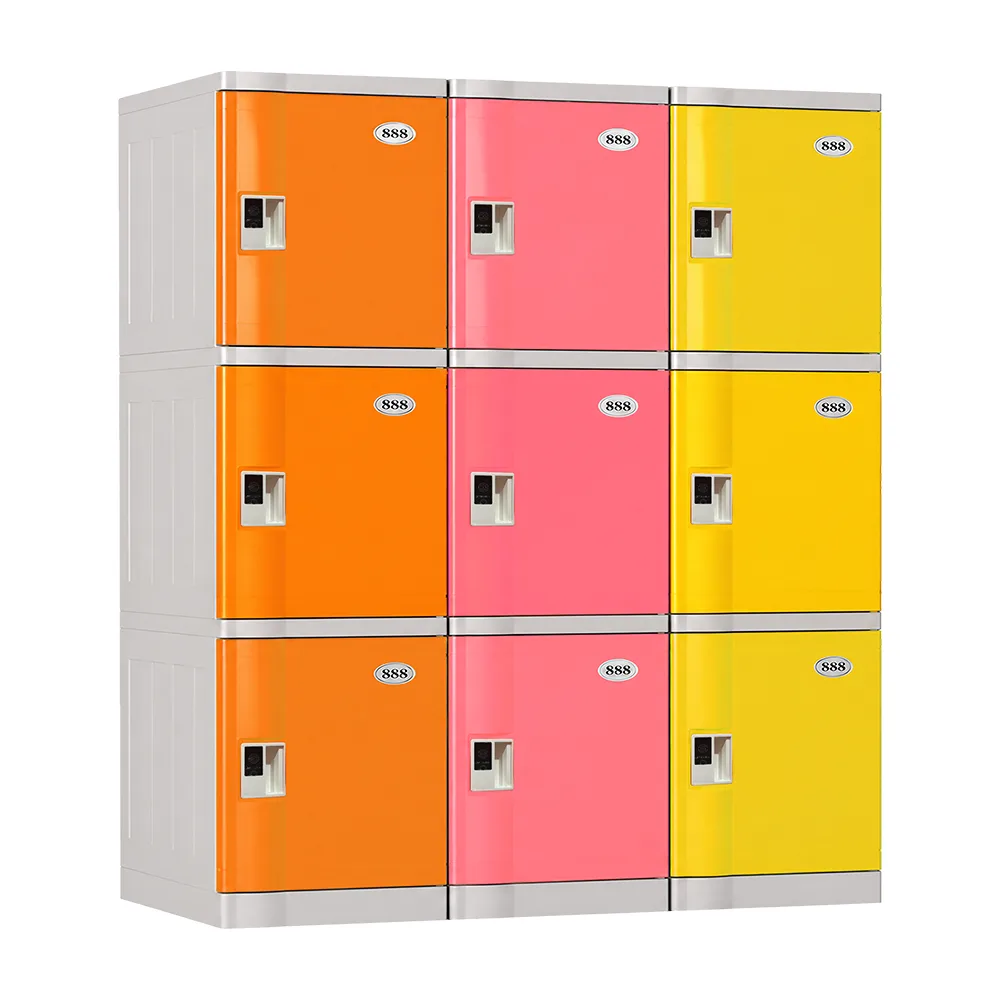
- Powder coating — Anti-rust, anti-corrosion, scratch-resistant. Available in custom RAL colors to match your store branding.
- Anti-pry door design — Reinforced door edges, anti-drill lock plates, and concealed hinges.
- Reinforced lock mechanism — Electronic locks rated for 100,000+ cycles. Avoid cheap solenoid locks that fail after 1–2 years.
- Pre-assembled structure — Arrives fully assembled, just needs power and network connection. Reduces installation time and on-site errors.
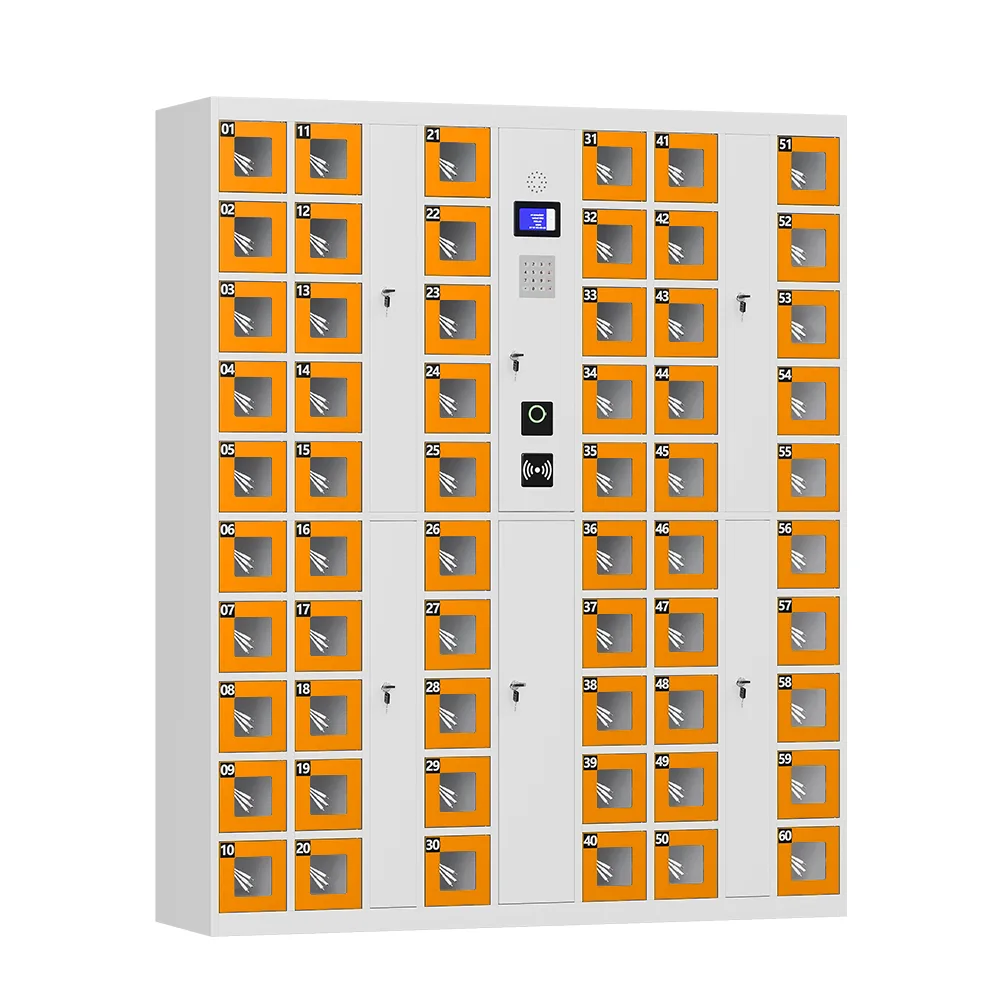
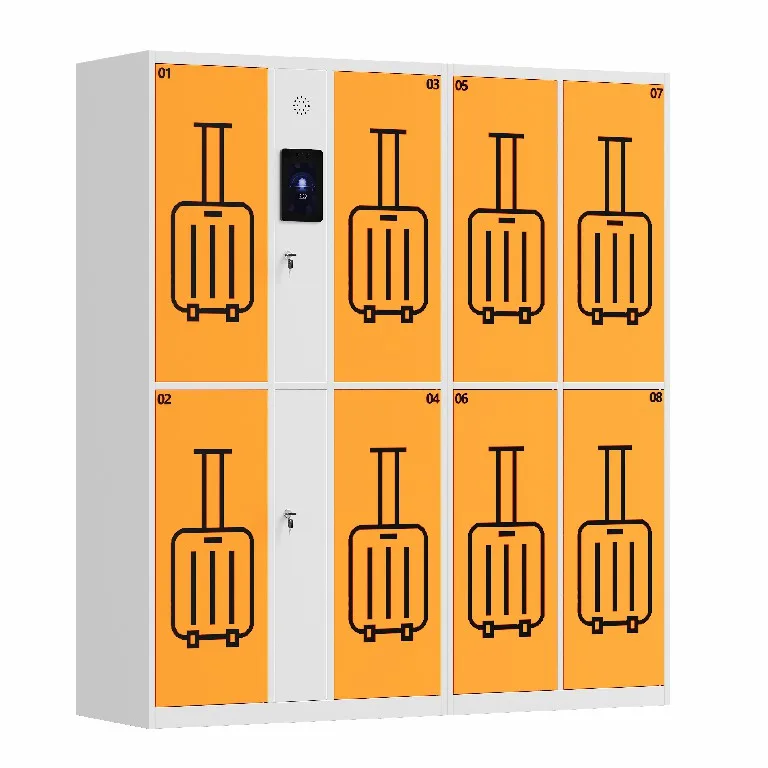
- Standard dimensions reference — Full cabinet approximately H1800×W2550×D460mm, individual compartments approximately H280×W300×D430mm. Both overall size and compartment layout should be customizable.
Placement Strategy: Where to Put Lockers in Your Supermarket
The best locker system in the wrong location will underperform. Follow these placement principles:
1. Near the Main Entrance (Most Common)
Place lockers within 10–15 meters of the main entrance, visible as shoppers walk in. This is where shoppers naturally expect to store bags, and it captures the maximum number of users.
2. Near the Cart Corral
If shoppers grab a cart first, placing lockers near the cart corral means they can store bags and grab a cart in one stop.
3. Near the Customer Service Desk
Placing lockers near the service desk allows staff to assist customers who need help, while still keeping the system self-service for the majority of users.
4. Avoid These Locations
- Near emergency exits or fire routes — Safety hazard and may violate building codes
- In narrow corridors — Shoppers waiting for lockers will block foot traffic
- Near refrigerated sections — Condensation can damage electronic components
- Loading docks or staff-only areas — Customers won’t find them
5. How Many Lockers Do You Need?
As a rough guideline:
| Supermarket Size | Recommended Lockers |
| Small (< 1,000 sqm) | 20–40 compartments |
| Medium (1,000–3,000 sqm) | 40–80 compartments |
| Large (3,000–8,000 sqm) | 80–160 compartments |
| Hypermarket (> 8,000 sqm) | 160–300+ compartments |
Always add 15–20% headroom for peak periods. A locker bank that’s 100% full on Saturday afternoon is losing revenue and frustrating customers.
Beyond Supermarkets: Where Barcode Self-Service Lockers Work
While this guide focuses on supermarkets, the same locker systems are used across many industries:
- Transport hubs — airports, train stations, bus terminals (luggage storage)
- Tourist attractions — museums, theme parks, scenic areas
- Commercial spaces — shopping malls, supermarket chains
- Sports and fitness — gyms, stadiums, swimming pools, yoga studios
- Education — universities, libraries, exam centers
- Healthcare — hospitals, clinics (staff and visitor storage)
- Corporate — office buildings, co-working spaces, conference centers
- Entertainment — cinemas, theaters, concert venues
The core requirements are always the same: secure storage, self-service access, and data-driven management.
How to Evaluate and Choose a Supplier
With many manufacturers in the market — ranging from low-cost assemblers to professional OEM/ODM factories — choosing the right supplier is as important as choosing the right product. Here’s what to evaluate:
1. Manufacturing Capability
- In-house production — Does the factory do its own sheet metal processing, powder coating, and assembly? Or does it buy pre-made cabinets and add locks? In-house production means better quality control and faster customization.
- Production capacity — A factory producing 500+ units per month can handle your orders and future scaling.
- Equipment — CNC punching, laser cutting, automated bending, and automated powder coating lines are signs of a serious manufacturer.
2. Software Ownership
This is critical. Does the factory own its locker management software, or does it license it from a third party?
- Owned software = The factory can customize billing logic, add features, fix bugs, and provide API integration.
- Licensed software = The factory is limited to whatever the software provider offers. Customization requests may be refused or delayed.
Always ask: “Do you develop your own locker management software? Can you provide API documentation?”
3. Customization Capability (ODM/OEM)
For supermarket chains, customization is often essential. Look for:
- Custom colors — RAL color matching to your brand identity
- Logo printing — Silk-screen, UV printing, or laser engraving on doors and screens
- Custom dimensions — Adjust cabinet size and compartment layout to fit your space
- Payment integration — Support for your local payment methods
- Software customization — Custom billing logic, membership integration, API access
4. Certifications and Compliance
- CE — European market compliance
- FCC — US market compliance
- RoHS — Environmental compliance (restriction of hazardous substances)
- ISO 9001 — Quality management system
- PCI DSS — If processing card payments (payment card industry data security standard)
5. After-Sales Support
- Warranty — At least 1–2 years standard, with extended options
- Spare parts — Availability and pricing of replacement locks, screens, and electronic components
- Technical support — Response time, remote troubleshooting capability, on-site support options
- Software updates — Are firmware and software updates included? How often?
ROI Calculation: When Do Smart Lockers Pay for Themselves?
Let’s walk through a realistic ROI calculation for a medium-sized supermarket.
Assumptions
- 60 compartments
- $4,000–$6,000 (hardware + installation)
- 40% average occupancy (conservative for a busy supermarket)
- $0.50 per use (or free, with indirect ROI from increased basket size)
- 60 × 40% × 3 turns/day = 72 uses/day
- 72 × $0.50 = $36/day → $1,080/month → $12,960/year
Direct ROI (Paid Storage Model)
Investment: $5,000 | Annual revenue: $12,960 | Annual maintenance: $500 | Net annual return: $12,460 | Payback period: ~5 months
Even with a more conservative 25% occupancy rate, the payback period is under 12 months.
Indirect ROI (Free Storage Model)
If you offer lockers as a free amenity:
- Increased basket size — 15–25% more spending per shopper who stores bags
- Giảm thời gian làm việc của nhân viên — 2–12 hours/week saved on storage issues
- Reduced theft — Lower shrinkage from unattended bags
- Customer loyalty — Better experience → more repeat visits
For a supermarket doing $50,000/week in revenue, a 5% increase in basket size from improved shopper experience equals $2,500/week or $130,000/year in additional revenue — making the locker investment trivial by comparison.
Các câu hỏi thường gặp
Q: How much does a smart storage locker system cost?
A: A 60-compartment barcode self-service locker system typically costs $3,000–$8,000 depending on features, build quality, and customization. Basic systems start lower; premium systems with facial recognition, custom branding, and advanced software can cost more. Always compare total cost of ownership, not just upfront price.
Câu hỏi: Quá trình lắp đặt mất bao lâu?
A: Most pre-assembled systems can be installed in 1–4 hours per cabinet. They require only a standard power outlet and a WiFi or LAN connection. No structural modifications are needed for standard indoor placement.
Q: Can shoppers use the lockers without a smartphone?
A: Yes. Barcode systems print a physical receipt with a barcode, so shoppers without smartphones can still use the lockers. PIN code entry is another phone-free option.
Q: How do you handle lost barcodes or forgotten PINs?
A: The system administrator can open any locker remotely through the backend management dashboard. Alternatively, staff can use a master code or management card at the locker itself. The system logs every remote opening for security.
Hỏi: Nếu mất điện thì sẽ ra sao?
A: Quality systems include a mechanical override lock for emergency access, and the electronic lock system should have battery backup or fail-safe design. Some models default to “locked” when power is cut (secure mode), while others default to “unlocked” (fail-safe mode) — choose based on your security priorities.
Q: Can the lockers be used for staff storage too?
A: Absolutely. Many supermarkets use a portion of the locker bank for employee storage (with staff card access) and the rest for customer use. The software can assign different access permissions and billing rules to different compartments within the same cabinet.
Q: How do you clean and maintain the lockers?
A: Daily: Wipe down surfaces with standard disinfectant. Weekly: Check door alignment and lock function. Monthly: Inspect electronic components and clean barcode scanner. The powder-coated steel surface is easy to clean and resistant to most supermarket cleaning chemicals.
Conclusion: A Smart Investment That Pays for Itself
Smart storage lockers are no longer a luxury for high-end retailers — they’re a practical necessity for any supermarket that wants to improve customer experience, reduce operational costs, and increase revenue. The right system pays for itself within months, either directly through storage fees or indirectly through larger baskets and higher customer loyalty.
The key to success is choosing a system built for the demands of a supermarket environment — with multiple access methods, flexible billing, remote management, sturdy construction, and a supplier that offers genuine ODM/OEM customization and long-term support.
Don’t settle for a cheap mechanical locker or a generic system designed for offices. Invest in a barcode self-service locker built for retail, and you’ll wonder how your supermarket ever operated without it.
Ready to Find the Right Locker System for Your Supermarket?
We are a professional smart locker manufacturer with in-house R&D, full production capability, and experience delivering customized storage solutions to supermarkets, malls, and public venues worldwide.
Whether you need a standard 60-compartment unit or a fully custom ODM system with your branding and payment integration, our team can help.
OEM/ODM welcome. Custom colors, branding, payment methods, and software development available.