
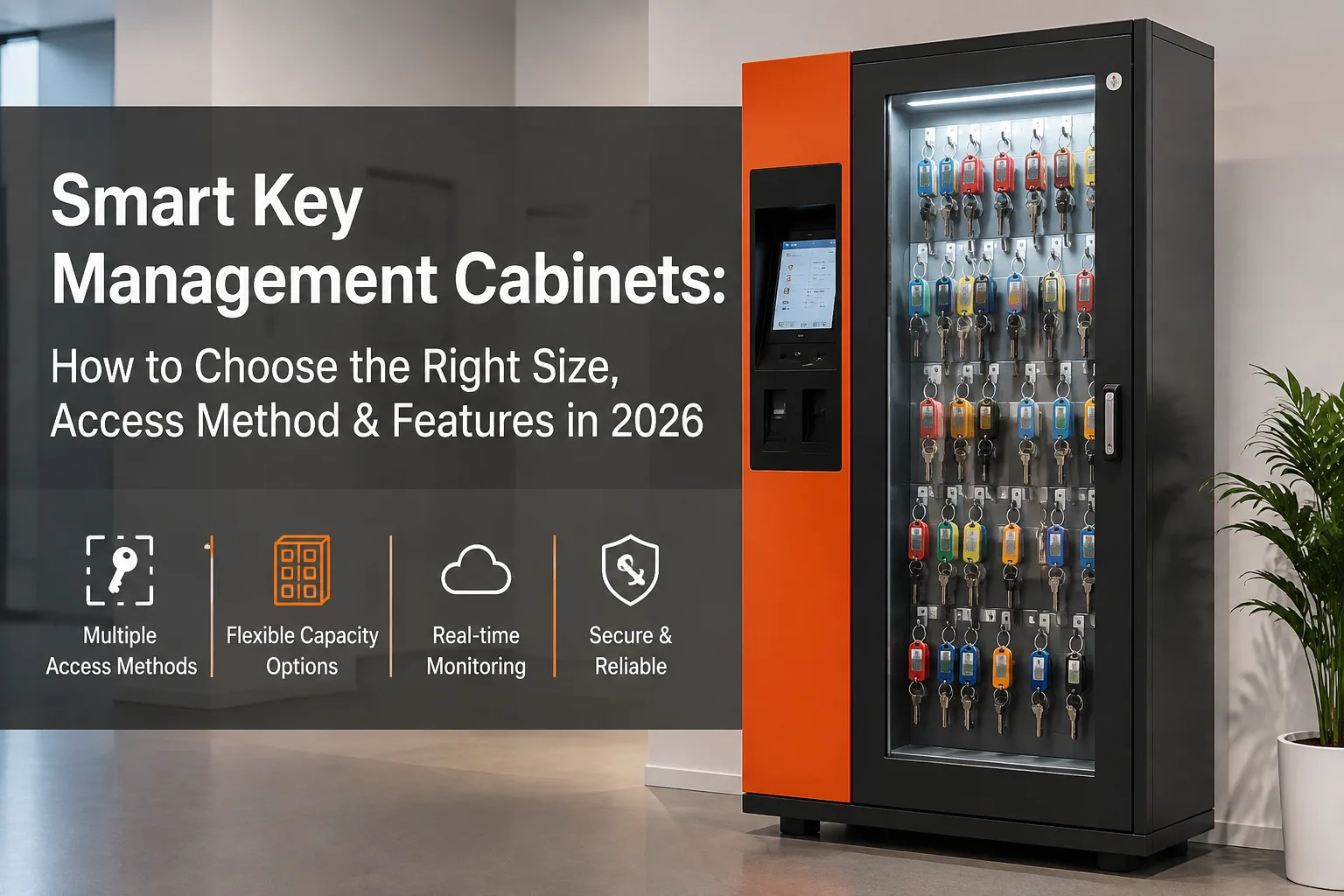
Metabeskrivning: Letar du efter ett smart nyckelskåp? Den här guiden från 2026 tar upp storlekar på nyckelfack, golv- respektive väggmontering, åtkomstkontroll, anslutningsmöjligheter och programvarufunktioner – så att du kan köpa precis det du behöver.
Varför du sparar pengar genom att välja rätt storlek på nyckelskåpet
Att byta från en manuell nyckelbox till ett smart nyckelhanteringssystem är ett stort steg för vilken organisation som helst. Men det vanligaste misstaget som köpare gör är inte att välja fel märke – utan att välja fel konfiguration.
Om du köper för många nyckelplatser betalar du för kapacitet som står tom i flera år. Om du köper för få kommer du att växa ur skåpet inom 12 månader och tvingas bära kostnaden för att byta ut det. Om du väljer fel åtkomstmetod kommer ditt team att hitta kringgående lösningar som motverkar hela syftet med systemet.
Den här guiden leder dig genom varje beslutspunkt – från antal spelautomater till anslutningsmöjligheter och programvarufunktioner – så att du kan ta fram specifikationer för ett spelautomatskåp som passar ditt nuvarande arbetsflöde och som kan anpassas efter dina framtida behov.
1. Utrymme i nyckelhålet: Börja med att räkna, inte med att gissa
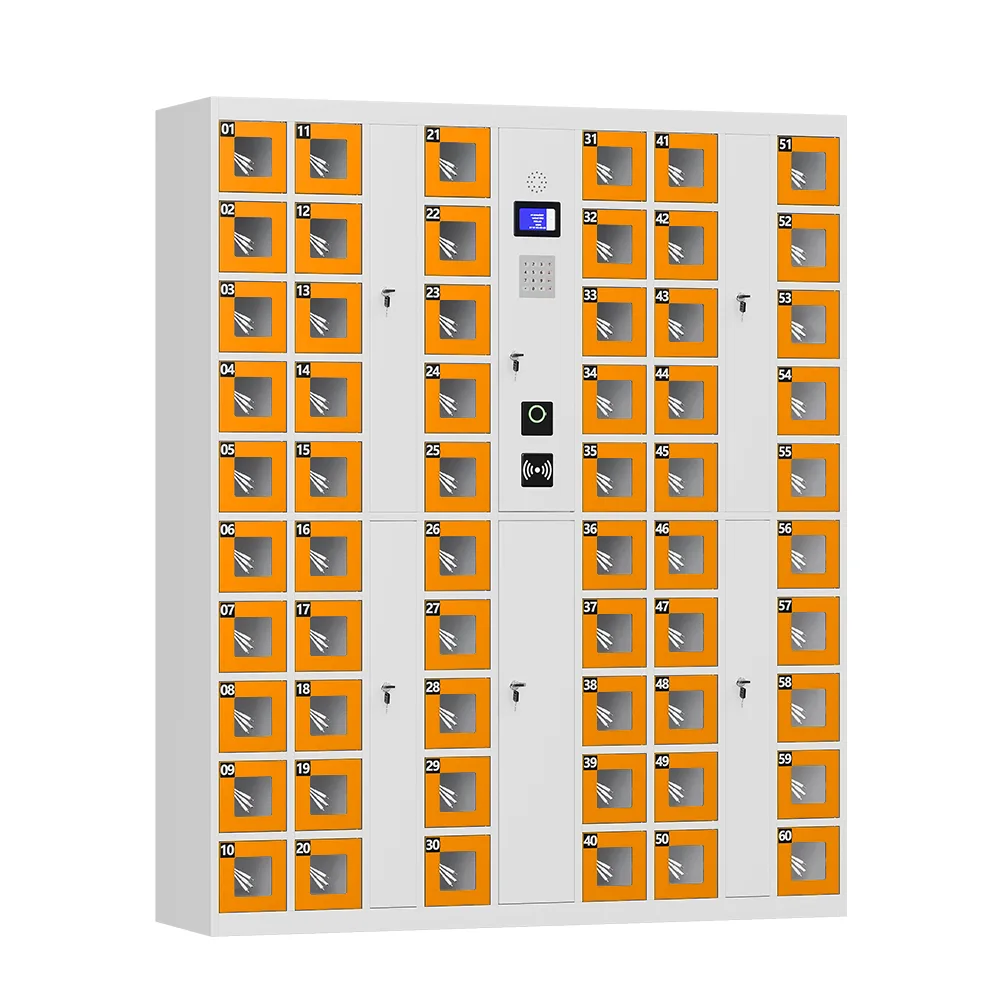
Smarta nyckelskåp finns i fasta antal fack – vanligtvis 30, 40, 50, 60, 70, 80, 90 och 100 fack. Innan du börjar jämföra olika modeller bör du göra en enkel sak: räkna alla nycklar som du faktiskt behöver hantera.
Riktlinjer för kapacitet efter användningsfall
- 30–50 platser — Perfekt för ett enskilt litet kontor, ett mindre fastighetsförvaltningsteam eller nycklarna till en avdelnings utrustningsrum.
- 50–80 platser — Lämpar sig för medelstora fordonsflottor, en enskild campusbyggnad eller en fastighet med flera hyresgäster där det finns nycklar till gemensamma utrymmen och enskilda lägenheter.
- 80–100 platser — Utformat för större fordonsdepåer, hela universitetscampus, bilhandlare eller företag med flera avdelningar som hanterar nycklar till laboratorier, serverrum och lokaler i ett och samma system.
UFUN:s proffstips: Se alltid till att lämna ett utrymme på 15–20% utöver ditt nuvarande antal tangenter. Det ger dig utrymme att växa utan att behöva betala för platser som du inte kommer att använda de närmaste fem åren. Om du har 62 tangenter idag, välj 80 platser – inte 100.
2. Golvstående eller väggmonterad: Anpassa formatet efter ditt utrymme
Skåpets fysiska utformning spelar en större roll än de flesta köpare inser. Den avgör var du kan installera det, hur många nycklar det rymmer och hur det passar in i ditt befintliga säkerhetssystem.
Golvstående skåp
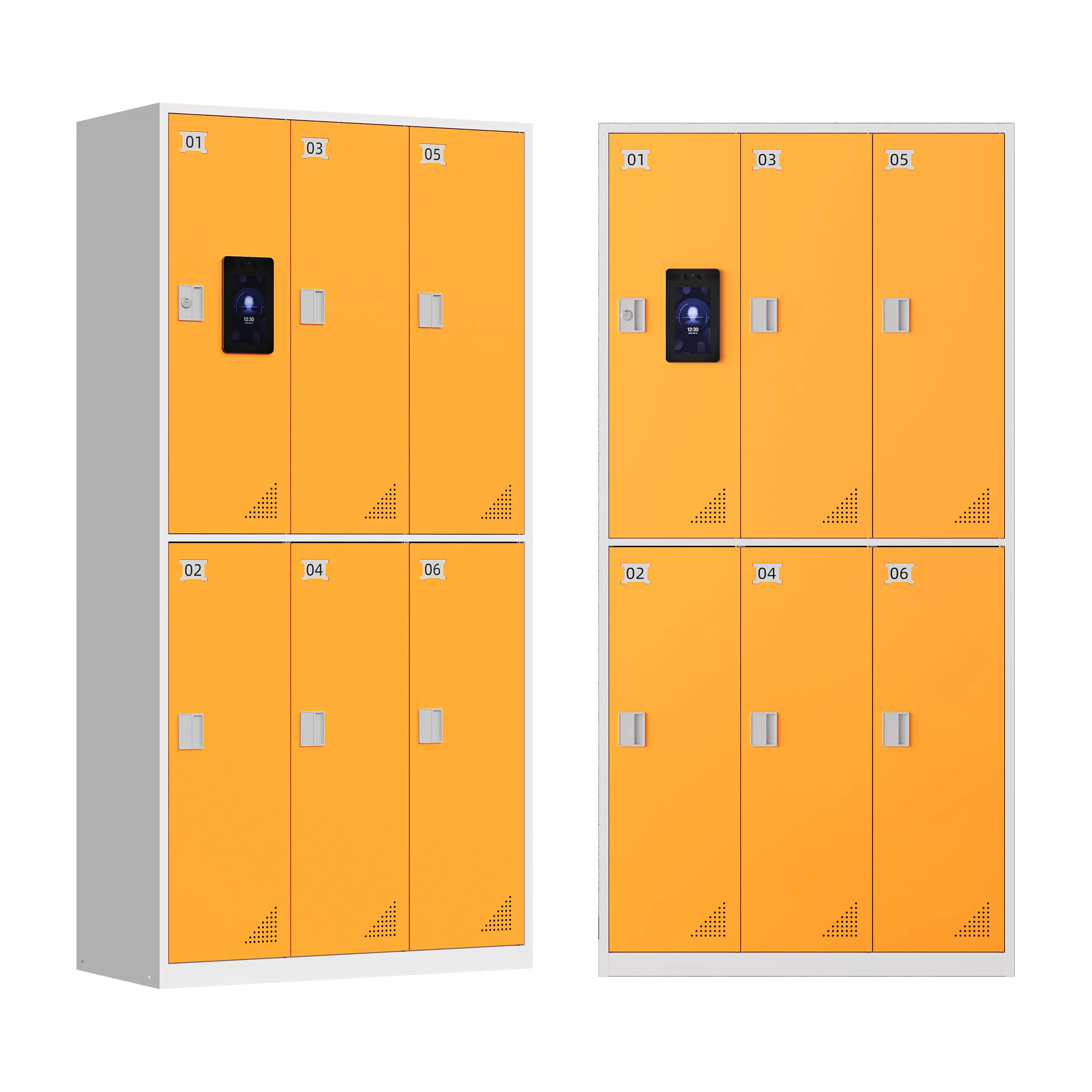
Golvstående enheter, som vanligtvis har måtten ca H2000 × B800 × D450 mm, är konstruerade för behov av större kapacitet (50–100+ tangenter). De fungerar bäst i särskilda säkerhetsrum, bakkontor eller lokaler där det finns tillräckligt med golvyta.
Väggmonterade skåp
Väggmonterade enheter är vanligtvis mindre (ofta 20–40 platser) och är det bästa valet för utrymmesbegränsade områden – receptioner, små kontor eller sekundära åtkomstpunkter där en enhet som täcker hela våningen skulle vara överdimensionerad.
Vanlig hybridkonfiguration: Många organisationer med flera byggnader använder ett stort golvstående skåp vid den huvudsakliga säkerhetskontrollen samt mindre väggmonterade enheter på satellitplatser – allt hanteras via en och samma mjukvaruplattform.
3. Åtkomstkontroll: Att välja rätt autentiseringsmetod för din säkerhetsnivå
Det är inte alla nycklar som kräver samma säkerhetsnivå. En nyckel till städskåpet kräver inte samma skydd som en nyckel till serverrummet. Smarta nyckelskåp stöder flera olika autentiseringsmetoder, och i de bästa lösningarna används rätt metod för varje nyckeltyp.
Åtkomst med RFID-kort
Snabbt, välbekant och enkelt att utfärda eller återkalla. Passar bäst för rutinmässiga nycklar där snabbhet är viktigare än individuellt ansvar. Nackdel: korten kan gå förlorade eller delas med andra.
Åtkomst med PIN-kod/lösenord
Inga fysiska behörighetskort att tappa bort, men koderna kan delas mellan personalen – vilket försvagar spårbarheten. Fungerar bra som reservmetod.
Fingeravtrycksigenkänning
Ger direkt åtkomst till en enskild person. Ett fingeravtryck kan inte överlämnas till en kollega, vilket gör spårbarheten betydligt bättre. Perfekt för nycklar som kräver tydligt ansvar.
Ansiktsigenkänning
Även kopplat till den enskilde användaren, med den extra fördelen att åtkomsten sker helt kontaktlöst. Perfekt för miljöer med högt besökstryck där både snabbhet och hygien är viktiga.
Flerfaktorautentisering
När det gäller nycklar med hög säkerhetsnivå – tillgång till valv, serverrum och kritisk infrastruktur – ger en kombination av två metoder (t.ex. kort och fingeravtryck) ett betydande extra verifieringsskikt.
Smart strategi: I de flesta moderna system kan man ställa in olika autentiseringskrav för olika nycklar i samma skåp. Använd enbart kortåtkomst för vanliga nycklar och multifaktorautentisering för nycklar med hög risk.
4. Anslutningsmöjligheter: En förklaring av WiFi, LAN och WAN
Anslutningsmöjligheterna avgör hur du övervakar och hanterar ditt skåp – och om du senare kan utöka verksamheten till flera platser.
- WiFi — Standard på de flesta skåp och tillräckligt för installationer med ett enda skåp som rapporterar till ett centralt system.
- LAN (Ethernet) — Detta är relevant vid hantering av flera skåp i en och samma byggnad eller på ett campus, där administrationen sker via ett enda lokalt nätverk.
- WAN — Oumbärligt för organisationer med flera verksamhetsställen som behöver en centraliserad översikt över skåp i olika städer eller regioner. Tänk på storföretag, banker med flera filialer eller regionala fastighetsförvaltningsföretag.
Planera i förväg: Om du installerar ett skåp idag men räknar med att utöka med fler enheter senare, bör du kontrollera att mjukvaruplattformen stöder hantering av flera skåp redan från början. Att eftermontera denna funktion senare innebär betydligt mer arbete än att planera för den från början.
5. Programvarufunktioner: Den del av systemet som de flesta köpare förbiser
Skåpsbeslagen utgör endast 50% av lösningen. Det är hanteringsprogramvaran som avgör hur användbart systemet faktiskt är i vardagen. Här är de funktioner som är värda att kolla upp innan du köper:
- Nyckelstatus i realtid — Se direkt vilka nycklar som är “inne” eller “ute” utan att behöva gå fram till skåpet.
- Automatiska aviseringar — Ljud-, ljus-, SMS- eller e-postaviseringar vid försenade nycklar, inbrott eller försök till obehörigt tillträde.
- Behörighetshantering — Ange vilka användare som ska ha åtkomst till vilka specifika nycklar, ställ in maximala lånetider och kräv godkännande från flera personer för viktiga nycklar.
- Revisionsrapportering — Skapa användningsloggar och efterlevnadsrapporter utan att behöva sammanställa data manuellt. Avgörande för branscher som omfattas av reglering.
- Instrumentpanel med flera skåp — För organisationer med fler än ett skåp innebär en samlad översikt över alla platser en betydande tidsbesparing i det administrativa arbetet.
6. Byggkvalitet och fysisk säkerhet
Oavsett antal fack eller åtkomstmetod bör varje smart nyckelskåp uppfylla följande grundläggande krav på fysisk säkerhet:
- Konstruktion i höghållfast stål som är inbrottssäker
- Konstruktion som förhindrar uppbrytning och borrning på dörren och låsmekanismen
- Mekaniskt överstyrningslås för åtkomst i nödfall om det elektroniska systemet förlorar strömförsörjningen
- 7-tums pekskärm (standard på de flesta moderna enheter) för enkel användning på plats utan någon separat enhet
7. Anpassning: Färg, språk och varumärkesprofilering
Många tillverkare erbjuder anpassning utan extra kostnad – det lönar sig att fråga om detta innan du beställer:
- Anpassade RAL-färger för att passa din anläggnings varumärke eller befintliga möbler
- Gratis språkanpassning för pekskärmsgränssnittet – avgörande för verksamhet i flera länder eller flerspråkig personal
- Alternativ för varumärkesprofilering vad gäller utseende och skärmgränssnitt för organisationer som vill att skåpet ska stämma överens med deras företagsidentitet
Översiktstabell för snabb storleksbestämning
| Organisationsform | Rekommenderade spelautomater | Monteringssätt | Bästa sättet att ta sig dit |
| Litet kontor / en avdelning | 30–50 | Vägg eller golv | RFID-kort |
| Medelstor fastighetsportfölj / campusbyggnad | 50–80 | Golvstående | Kort + fingeravtryck |
| Stor fordonspark / hela campusområdet | 80–100 | Golvstående | Flerfaktorautentisering för nycklar med hög säkerhetsnivå |
| Reception / filial | 20–40 | Väggmonterad | PIN-kod eller kort |
| Företag med flera verksamhetsställen | 80–100 (per anläggning) | Hybrid för golv och vägg | Ansluten till LAN/WAN, rollbaserad |
Vanliga frågor
Fråga: Hur räknar jag ut hur många nyckelplatser jag behöver?
S: Räkna antalet nycklar ni har just nu och lägg sedan till 15–20% för framtida tillväxt. Eftersom skåpen finns i fasta steg (30 till 100 fack) ska ni avrunda uppåt till nästa nivå. Om du har 55 nycklar är ett skåp med 80 platser det rätta valet – inte 100.
Fråga: Vilken inloggningsmetod är bäst: fingeravtryck, ansiktsigenkänning eller kort?
S: Det beror på era säkerhetsbehov. Fingeravtrycks- och ansiktsigenkänning kopplar åtkomsten till en enskild person och skapar en mer tillförlitlig verifieringskedja. Kortbaserad åtkomst går snabbare att införa och är mer bekant för personalen, men korten kan delas med andra. De flesta organisationer använder kortbaserad åtkomst för vanliga nycklar och multifaktorautentisering för nycklar med hög säkerhetsnivå.
Fråga: Vad är skillnaden mellan golvstående och väggmonterade nyckelskåp?
S: Golvstående skåp har större kapacitet (50–100+ fack) och är avsedda för särskilda säkerhetsrum eller större verksamheter. Väggmonterade enheter har mindre kapacitet och passar bättre i utrymmen med begränsad plats, såsom receptioner eller små kontor.
Fråga: Kan jag hantera flera nyckelskåp från en och samma programvaruplattform?
S: Ja – om systemet stöder LAN- eller WAN-anslutning. Detta möjliggör centraliserad övervakning, behörighetshantering och rapportering för alla skåp i en byggnad, på ett campus eller på flera anläggningar.
Fråga: Fungerar smarta nyckelskåp vid strömavbrott?
S: Högkvalitativa skåp är utrustade med ett mekaniskt nödlås för åtkomst vid strömavbrott. Vissa modeller har även tillval i form av reservbatterier som upprätthåller den elektroniska funktionen under en begränsad tid.
Fråga: Hur lång tid tar installationen?
S: Ett enskilt väggmonterat skåp kan vanligtvis installeras och konfigureras på 2–4 timmar. Golvstående enheter med programvarukonfiguration tar vanligtvis en halv dag. Installationer med flera skåp kan ta 1–2 dagar beroende på nätverkskonfigurationen.
Är du redo att välja rätt nyckelskåp för din organisation?
Att välja rätt skåp för hantering av smarta nycklar handlar i grund och botten om tre frågor: Hur många nycklar hanterar du egentligen? Hur hög säkerhetsnivå kräver varje nyckel? Och kommer du att behöva utöka till flera skåp eller platser längre fram?
På UFUN tillverkar vi smarta nyckelhanteringsskåp med flexibla fackkonfigurationer, stöd för flera språk och programvara som växer i takt med er organisation. Med över 10 års erfarenhet och installationer i mer än 20 länder kan vi hjälpa er att välja ett system som passar era behov – utan att ni köper mer än ni behöver.