
Why a Charging Locker Is More Than a Metal Box With USB Ports
Whether you are a facilities manager sourcing equipment for a hospital device pool, an IT director rolling out shared tablets across a warehouse, or a distributor putting together a proposal for a care-home network, choosing a smart charging locker system involves far more than comparing bay counts and per-unit prices. The wrong decision leads to one of three predictable failures: software that locks you into a single vendor with no export path, hardware that bends, scratches, or fails after a few months of daily door cycling, or a management platform so complex that nobody on site actually uses it — at which point the lockers become expensive, non-functional shelving.
This guide is written for buyers who need to compare charging locker vendors on the criteria that actually determine long-term success: hardware durability, access-control design, software capability, integration flexibility, and commercial terms. It is based on field deployment experience across healthcare, care homes, warehouses, education, and corporate environments, and it is structured so that you can turn each section directly into a line item in your invitation-to-tender (ITT) or vendor comparison matrix.
At UFUN, we manufacture and deploy smart charging lockers for device pools, staff equipment, and shared-device programmes, with factory-direct pricing, OEM/ODM customisation, and global deployment support. The recommendations below are written to help you ask the right questions of every vendor on your shortlist — including us.
Step 1: Start With the Use Case, Not the Bay Count
The single most common procurement mistake is opening a spec sheet and counting bays before defining what the system must do. A device-charging locker for a hospital radiology department — where staff check out ruggedised scanners at the start of a shift — has almost nothing in common with a staff phone locker in a factory, or a shared-tablet station in a care home. The hardware, the access method, the software, and the commercial model all follow from the use case.
Answer the following six questions before requesting a single quotation. The answers will define every subsequent decision.
What Is Being Stored and Charged?
List every device type: smartphones, tablets, two-way radios, barcode scanners, ruggedised handhelds, laptops, or a mix. Note the physical dimensions of each device (with and without cases), the charging connector type (USB-C, Lightning, micro-USB, proprietary), and the required charging wattage. A scanner that charges at 10W over micro-USB has very different bay requirements than a tablet that needs 40W USB-C Power Delivery. If the device mix will change over time — for example, if the organisation plans to replace scanners with tablets within two years — specify a locker with adaptable bay interiors or modular charging modules rather than fixed-size compartments.
Who Needs Access, and at What Permission Level?
Identify every user group: full-time employees, shift workers, contractors, visitors, students, or residents. For each group, note whether access is recurring or one-off, whether it must be scheduled, and whether different groups need different permissions. A hospital may require that only radiology staff can access the scanner bays, while a factory may allow any employee on the production line to check out a radio. The software must support these distinctions without forcing every user through the same access level.
How Many Sites, and How Many Bays per Site?
A single-site deployment can be managed locally; a multi-site rollout across ten or twenty locations requires centralised remote management, bulk provisioning, and site-level reporting. The number of bays per site depends on peak simultaneous demand, not headcount — a 200-person factory with 30 shared radios does not need 200 bays; it needs enough bays to absorb the shift-change peak plus a reserve for devices under repair. Model the peak concurrency and add a 10–15% buffer for growth and out-of-service bays.
Indoor Only, or Does Any Location Need Weather Resistance?
Most charging lockers are designed for indoor use. If any deployment location is a loading bay, a construction-site cabin, a vehicle, or an outdoor kiosk, specify an IP-rated enclosure with weather-sealed doors and protected charging ports. Indoor-grade units deployed outdoors will fail within months — the charging connectors will corrode, the touchscreen will degrade, and the electronics will suffer from condensation.
What Is the Rollout Timeline, and Is Phased Deployment Required?
A pilot at one site followed by a full rollout is almost always lower risk than a big-bang deployment. Confirm whether the vendor supports phased rollout — that is, whether the software can manage pilot units alongside production units, whether pricing scales with volume, and whether the vendor can deliver in batches aligned to your site-readiness schedule. A vendor that requires a single large order upfront may not be the right partner for a multi-quarter rollout.
How Will Success Be Measured?
Define the metrics that prove the system is working: device availability rate (percentage of charged, functional devices available at shift start), average checkout time, number of lost or damaged devices per quarter, staff time saved on device management, or user satisfaction score. Without agreed metrics, neither the buyer nor the vendor can tell whether the deployment has delivered its intended value, and there is no basis for expanding or modifying the system after go-live.
Getting these six questions answered in writing — and shared with every vendor on the shortlist — prevents the most common failure mode: buying a system sized for a pilot that cannot scale when the real deployment numbers arrive, or specifying a feature set that does not match the actual daily workflow.
Step 2: Hardware — What to Actually Check on the Spec Sheet
Not all charging lockers are built to the same standard, and the differences do not show up on day one — they show up after three months of daily door cycling, cable bending, and power cycling. When comparing vendors, request the full technical specification sheet (not the marketing brochure) and evaluate the following dimensions.
Housing Material and Build Quality
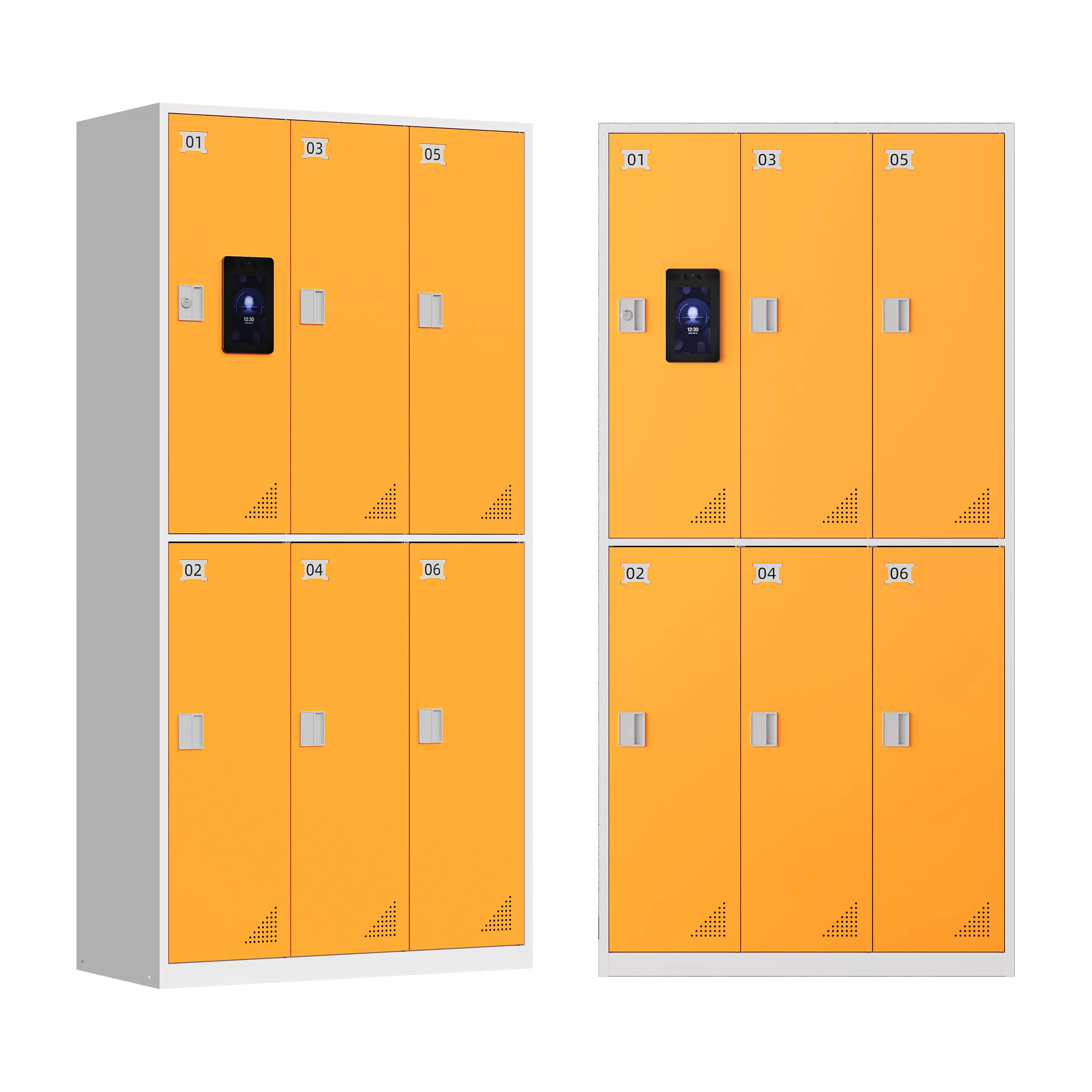
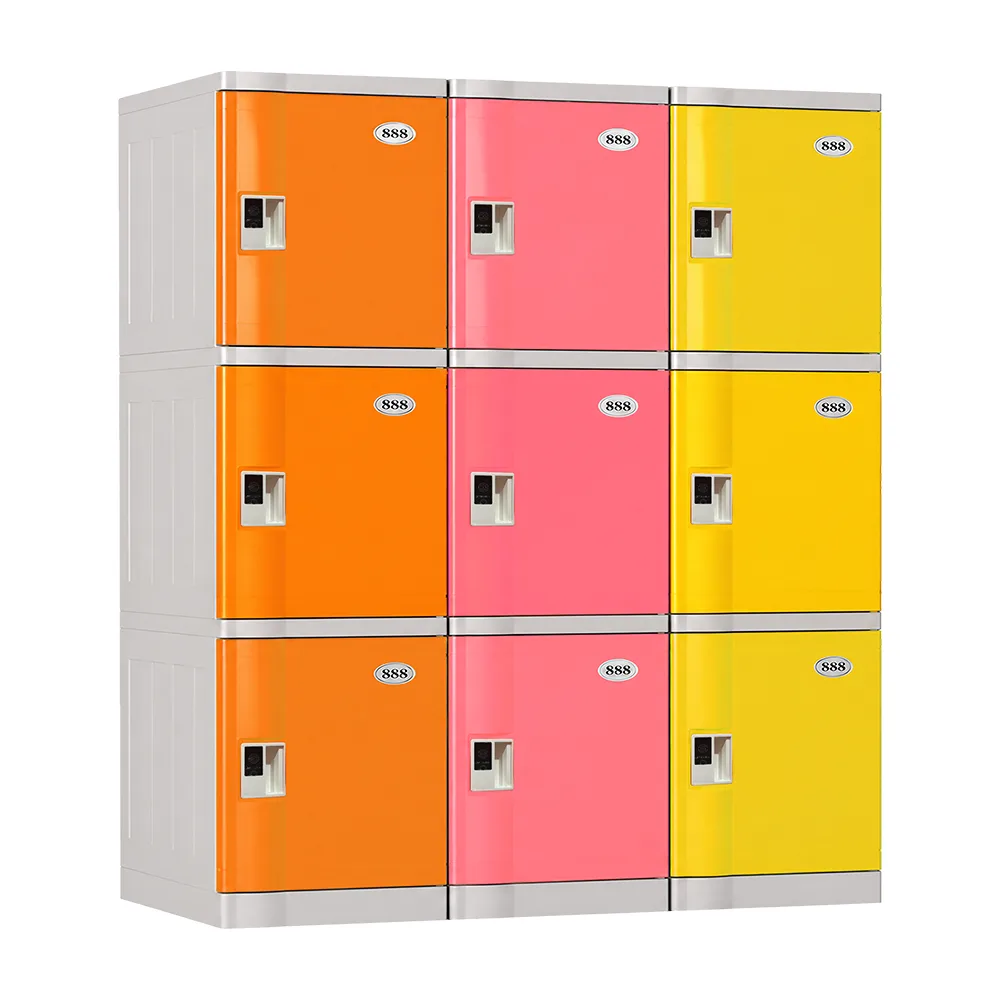
Cold-rolled steel with a powder-coated finish is the baseline for daily-use environments. Thin sheet metal (below 0.8mm) will flex and rattle under constant use; plastic housings are unsuitable for anything beyond low-traffic office use. Check the door hinge construction — continuous piano hinges are more durable than individual pin hinges, and reinforced door frames resist warping. The bay interior should have rounded edges to prevent device and cable damage, and the charging cable should be routed through a strain-relief channel rather than exiting directly through a hole that can fray the cable.
Touchscreen Interface
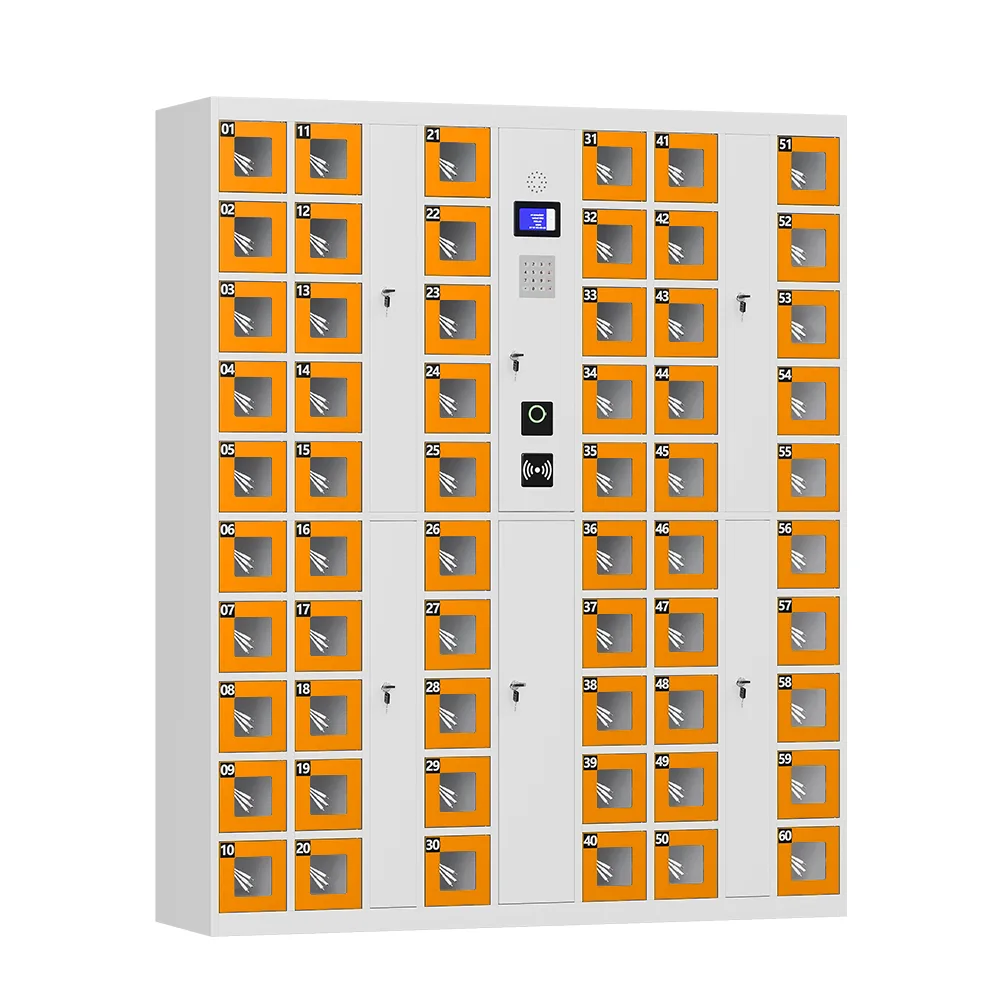
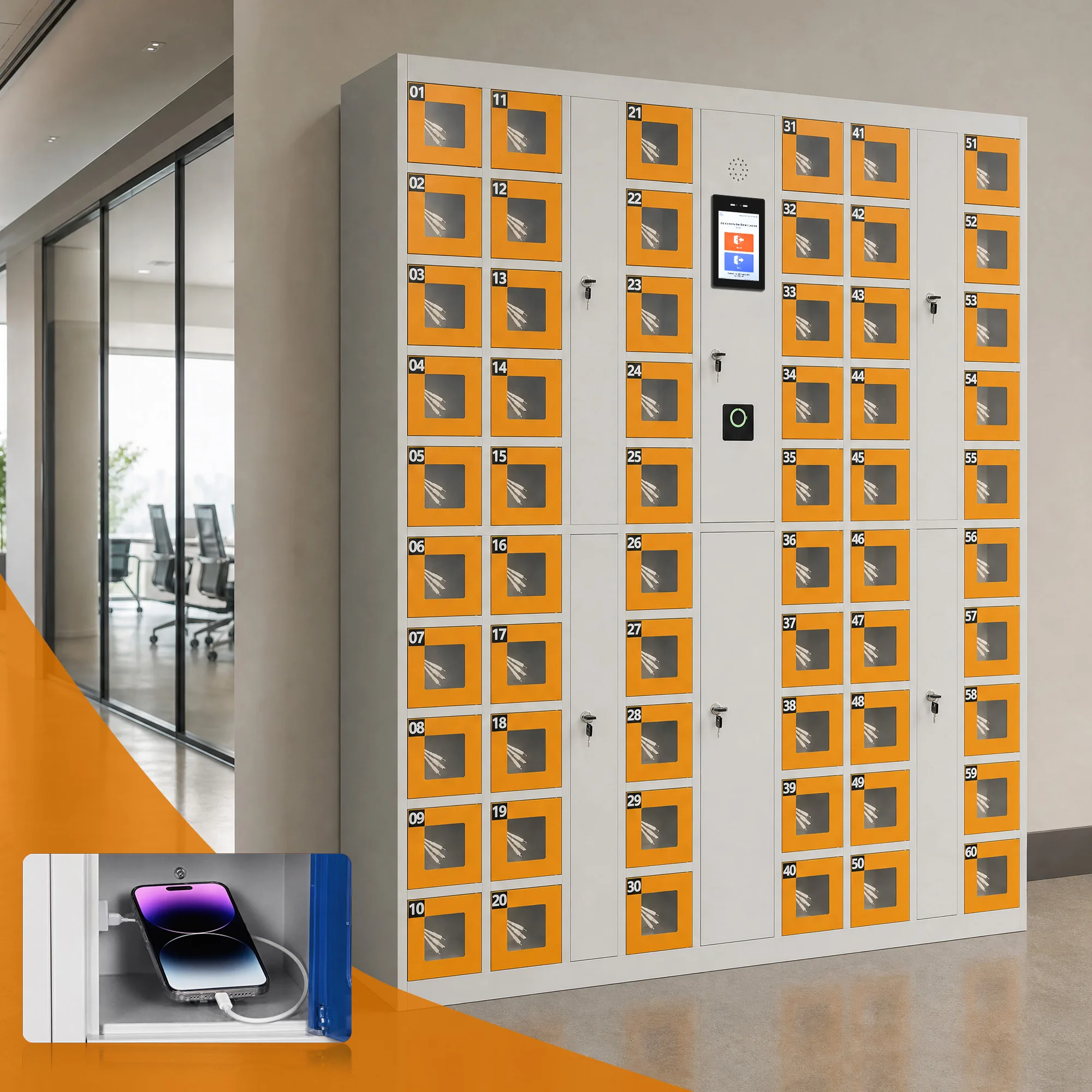
Enterprise-grade units now include a dedicated touchscreen (typically 7 inches) for check-in, check-out, status display, and administrator functions. A keypad-only interface is a sign of a lower-tier product — it is slower to use, cannot display device status or instructions, and limits the software features that can be delivered at the locker. Confirm the touchscreen is capacitive (works with gloves in some environments), has adjustable brightness for low-light areas, and is protected by a toughened glass or polycarbonate overlay.
Power Output and Scalability
Check two numbers: the per-bay output and the unit’s total maximum power draw. Per-bay output is commonly 20W USB-C Power Delivery as standard, with 40W or 65W upgrade paths available on enterprise models for tablets and lightweight laptops. The total power draw scales with bay count — a 32-bay unit at 20W per bay can draw over 640W plus overhead, which may require a dedicated circuit. Confirm the unit has internal power management that prevents circuit overload when all bays charge simultaneously, and whether the power supply is internal or external (external power bricks are a common point of failure and take up floor or rack space).
Bay Count, Unit Footprint, and Weight
Charging lockers range from compact 8-bay desktop units (around 20 kg) through 16-bay floor-standing systems (around 35 kg) up to 32-bay enterprise units (around 55 kg and above). Match the footprint to the physical space — a 32-bay unit may not fit through a standard doorway or in a narrow corridor, and wall-mounted units have weight limits that the building structure must support. For desktop units, confirm the depth of the work surface required; for floor-standing units, confirm whether anchoring to the wall or floor is required for stability (it usually is, for anything above 16 bays).
Certifications and Compliance
At minimum, confirm and obtain copies of: CE-EMC (electromagnetic compatibility), CE-LVD (low voltage directive), FCC SDOC (for US market), and RoHS (restriction of hazardous substances). For healthcare environments, additionally check IEC 60601-1 (medical electrical equipment safety) if the devices being charged are medical-grade, and confirm the locker does not interfere with other medical equipment. For industrial environments, check EAC (Eurasian Conformity) for Russia/CIS markets. A vendor that cannot provide actual certificate PDFs — only a checklist on a website — should be treated as a risk.
Cable Management and Consumable Design
Charging cables are the most frequently replaced component in any charging locker system. Check whether cables are user-replaceable (no tools required), whether they are standard off-the-shelf cables (rather than proprietary cables that must be bought from the vendor at a premium), and whether the bay design prevents cable theft or tampering. A system that requires a service call to replace a $5 charging cable will generate ongoing maintenance costs that erode the ROI. Also check whether the cable exit point has strain relief — cables that bend sharply at the connector fail in weeks, not years.
Step 3: Access Methods — Match the Method to the Environment
A charging locker should support multiple authentication methods out of the box, because different environments and user groups favour different approaches. A system that offers only one method will force some users into an awkward workflow, which reduces adoption and creates support tickets.
| Method | Best Suited To | Advantage | Consideration |
| RFID card / badge | Hospitals, care homes, factories — environments where staff already carry ID badges | Fastest checkout; taps in and out in under a second; no memorisation required | Confirm the reader supports the card format already in use (MIFARE, DESFire, HID iCLASS, etc.); re-issuing badges is costly |
| PIN code | Environments where issuing physical cards is impractical, or as a backup method | No physical credential needed; works for temporary staff and contractors | Codes can be shared or forgotten; one-time PINs are more secure than permanent codes |
| QR code | Visitor, contractor, or short-term access; environments with mobile-first users | Credential delivered by SMS or email; auto-expires; no app download required | Requires a reliable network connection at the locker; screen brightness must be sufficient for QR scanning |
| Biometric (fingerprint / face) | High-security environments; staff-only areas where credential sharing is a concern | Strongest accountability; a credential cannot be lost or shared | Raises GDPR/data-protection questions; biometric data must be stored locally or encrypted; user consent required |
| Mobile app | Tech-comfortable recurring users; environments where reservation is needed | Supports reservation, history, and remote release; can send low-battery alerts | Excludes users who will not download an app; should always be optional, never mandatory |
The Critical Question: Automatic Bay Assignment vs. Manual Selection
One detail separates a well-designed system from a frustrating one: when a user presents their card or PIN, does the system automatically assign the best available bay — for example, the bay holding the device with the highest charge — or does it require the user to manually select which bay to open?
Automatic assignment removes a major failure point. In a hospital or care-home environment, a staff member in a hurry will grab the first available device without checking the battery level, then discover mid-shift that the device is at 15%. A system that automatically opens the bay with the highest-charged device eliminates this problem entirely, and it speeds up checkout because the user does not need to scan a list of bays or remember a bay number.
Ask every vendor to demonstrate automatic assignment live. If the system requires manual bay selection, treat it as a lower-tier product — it will generate more user errors, more support calls, and lower device availability than an auto-assignment system.
Step 4: Software and Access Management — What the Admin Portal Must Do
The web-based management platform is at least as important as the hardware, and it becomes the deciding factor once you are managing more than one site or more than a few dozen users. A beautiful cabinet with a clunky, feature-poor dashboard will create more admin work than it saves. Evaluate the platform against the following eight capabilities.
1. Role-Based Access Levels
The system should support at least three, and ideally four, distinct permission tiers: system administrator (full access across all sites), site or organisation administrator (full access within one site or organisation), unit supervisor (can manage staff and devices for a specific unit but cannot change system settings), and end user (can only check out and return devices). This four-tier model allows a large organisation to delegate day-to-day management locally without giving every site full system access — a critical requirement for multi-department hospitals and multi-site care-home networks.
2. Department- or Zone-Based Bay Segmentation
In a multi-department environment, access control must go beyond “who can use the locker” to “who can use which bays.” A single 32-bay unit in a hospital may need to be segmented so that radiology staff can only access the scanner bays, while nursing staff can only access the tablet bays. The software should allow an administrator to create zones or departments within a single unit and assign users to specific zones, rather than treating the unit as one undifferentiated pool.
3. Remote Bay Control and Emergency Override
Administrators must be able to remotely unlock a specific bay from the dashboard — for troubleshooting, emergency access, or when a user has forgotten their credential. This should work even if the user’s card or PIN is not available, and every remote unlock should be logged with the administrator’s identity and a timestamp. A system that requires an on-site technician to open a bay manually will generate expensive service calls for what should be a 30-second remote action.
4. Full Audit Logging
Every door-open event, every device check-out and return, every employee or device addition or removal, and every administrative action should be logged with a timestamp, user identity, and bay number. The log should be exportable in CSV or Excel format for compliance reporting, internal audit, or incident investigation. For healthcare and public-sector buyers subject to FOI or regulatory audit, a complete, exportable audit trail is not optional — it is a compliance requirement.
5. Usage Reporting and Analytics
The dashboard should provide at minimum: check-out and return timestamps, device utilisation rates, overdue-device alerts, offline-unit alerts, and bay availability in real time. Ideally, reports can be filtered by site, department, user, and date range, and scheduled for automatic email delivery. Usage data is what allows a facilities manager to right-size the deployment — if ten bays sit unused every day, the organisation over-purchased; if bays are consistently full at peak, it may need to expand.
6. Bulk Provisioning
The ability to import employees, devices, and cards via a spreadsheet template — rather than entering them one by one through the web interface — is a minor feature that becomes critical once you are onboarding more than a dozen users. A hospital device pool with 200 staff and 150 devices cannot be provisioned one entry at a time. Confirm the template format, the field mapping, and whether the system supports bulk updates (for example, deprovisioning all staff from a closed ward at once).
7. Fault Isolation and Device Flagging
When a user returns a device and notices it is malfunctioning — a cracked screen, an unresponsive button, a battery that will not hold a charge — the system should allow the user to flag the device at return. Once flagged, the bay should automatically lock and the device should be removed from the available pool until a supervisor inspects and clears it. This prevents a malfunctioning device from quietly going back into circulation and being checked out by the next user, which is a common source of downtime and frustration in shared-device programmes.
8. Multi-Site Central Management
For organisations deploying across multiple locations, the platform must provide a single dashboard that shows all units across all sites, with the ability to drill into individual sites, units, and bays. Alerts (offline units, overdue devices, fault-flagged bays) should be visible centrally, and bulk actions (software updates, configuration changes, user provisioning) should be applicable across multiple sites at once. A system that requires logging into each site separately is not a multi-site management system — it is a collection of single-site systems.
The Hidden Lock-In Question
This is also where vendor lock-in tends to surface. Ask directly, and get the answer in writing: are remote management, multi-site support, audit logging, and bulk provisioning included in the base platform price, or are they gated behind a separate software subscription tier? A vendor that quotes a low hardware price but charges a per-unit monthly software fee for essential management features may have a higher total cost of ownership over five years than a vendor with a higher upfront price but included software. Also ask whether the data can be exported in a standard format — if you ever need to switch vendors, you should be able to take your user list, device inventory, and audit history with you, rather than being trapped in a proprietary platform.
Step 5: Real-World Deployment Patterns — What Works in Practice
Across deployments in healthcare, care homes, warehouses, and corporate environments, certain patterns consistently separate successful rollouts from problematic ones. Use these as benchmarks when evaluating vendors — if a vendor cannot describe how their system handles these scenarios, they may not have enough real deployment experience.
Fast Time-to-Operational
In care-home and healthcare deployments, the best systems are operational within a day of the locker connecting to the network. Staff can badge in, the system automatically assigns the highest-charged device, and no on-site configuration is required beyond basic network setup and a bulk user import. If a vendor tells you that deployment requires a week of on-site consulting and configuration, the system is either overly complex or the vendor is charging for services that should be included.
Segmented Access at Scale
In large, multi-department environments such as hospital device pools, access control must be granular. A four-tier permission model — system administrator, site administrator, unit supervisor, individual employee — combined with department-based bay segmentation, allows a large organisation to delegate management locally. The radiology supervisor manages radiology staff and scanners; the nursing supervisor manages nursing staff and tablets; neither can access the other’s bays or data. This reduces the administrative burden on central IT while maintaining security and accountability.
Built-In Accountability for Shared Equipment
In both care-home and healthcare settings, devices get flagged as faulty at return rather than quietly going back into circulation. The bay locks automatically, an alert is sent to the supervisor, and the device is inspected before it is returned to the available pool. This simple feature — fault isolation — can reduce device-related downtime by 30–50% in shared-device programmes, because faulty devices are caught at the point of return rather than discovered by the next user mid-shift.
Provisioning That Scales
Bulk employee, device, and card upload via spreadsheet is not a nice-to-have — it is a prerequisite for any deployment beyond a dozen users. The most successful rollouts combine bulk import with a clear onboarding process: HR or the department manager provides a staff list, IT provides the device inventory, and the system is provisioned in a single upload before the hardware even arrives on site. On go-live day, staff simply badge in and the system works.
Phased Rollout With Pilot Validation
The lowest-risk deployment model is a 4–8 week pilot at one site, followed by a full rollout based on pilot data. The pilot validates the workflow, tests the software, trains administrators, collects user feedback, and measures actual utilisation and device availability. The full rollout then uses the pilot data to right-size the bay count at each location — avoiding both over-purchase (wasted capital) and under-purchase (queues and frustration). A vendor that does not support or encourage a pilot phase is either overconfident in their product or unwilling to expose it to real-world testing before a large commitment.
Step 6: Commercial Terms — What to Negotiate and What to Avoid
The commercial terms are where many buyers focus their negotiation energy, but they often negotiate the wrong things. Per-unit price is important, but the total cost of ownership over five years depends on software licensing, warranty, consumables, and support — all of which can dwarf the initial hardware saving.
Pricing Model: One-Time vs. Subscription
Charging locker vendors typically use one of three pricing models: one-time hardware purchase with included software, one-time hardware purchase with optional paid software subscription, or hardware-as-a-service (HaaS) with a monthly per-unit fee that includes hardware, software, and support. Each model has trade-offs:
- One-time purchase with included software — lowest long-term cost, but requires upfront capital and the buyer owns the hardware risk.
- One-time purchase with paid software subscription — lower upfront cost, but the ongoing fee can exceed the hardware cost within 2–3 years; confirm what is included in the base fee and what is an add-on.
- HaaS / monthly subscription — no upfront capital, includes support and hardware replacement, but the total cost over 5 years is typically 1.5–2x the purchase price; best for organisations that prefer OpEx over CapEx or need flexibility to scale up and down.
Compare the five-year total cost of each model, not just the first-year price. A $500/unit purchase with $10/month/unit software costs $1,100 over five years; a $900/unit purchase with included software costs $900 over five years — the “cheaper” unit is actually more expensive.
Warranty Terms
Check the warranty period for the main unit (typically 1–3 years) and whether it differs from the warranty on consumable parts (charging cables, power supplies, touchscreens). Consumable parts often have shorter warranties (90 days to 1 year) and are the components most likely to fail. Ask whether the vendor offers an extended warranty, what it covers, and what it costs. Also confirm whether warranty repairs require returning the unit to the vendor (and who pays shipping) or whether on-site service is available.
MOQ, Lead Time, and Phased Delivery
Confirm the minimum order quantity (MOQ) — some vendors require a full container or a minimum number of units, which may not suit a small pilot. Confirm the standard lead time (typically 3–6 weeks for standard models, 6–10 weeks for custom configurations) and whether the vendor can deliver in batches aligned to your site-readiness schedule. A vendor that can only deliver all units at once may force you to store units on site before the locations are ready, which creates logistical and security problems.
Exit Terms and Data Portability
Before signing, confirm what happens if you need to terminate the contract or switch vendors. Can you export your user data, device inventory, and audit logs in a standard format? What happens to the hardware if you stop paying a software subscription — does it stop working entirely, or does it revert to a basic local mode? Are there early-termination fees? A vendor that makes exit difficult is a vendor you may be stuck with regardless of performance.
Procurement Checklist
Use this checklist to structure your vendor comparison. Every item should be addressed in writing — in the quotation, the specification sheet, or the contract — before a purchase order is issued.
Hardware
- Cold-rolled steel housing with powder-coated finish, minimum 0.8mm gauge, confirmed on spec sheet
- Dedicated capacitive touchscreen (minimum 7″), not keypad-only
- Per-bay power output matches device charging needs (standard 20W PD, with 40W/65W upgrade if needed)
- Total unit power draw and circuit requirements confirmed
- Bay count and unit footprint match physical site constraints, including doorway access
- Wall/floor anchoring requirements specified
- CE-EMC, CE-LVD, FCC SDOC, RoHS certificates provided as PDFs (plus IEC 60601-1 for healthcare, EAC for Russia/CIS)
- User-replaceable, standard off-the-shelf charging cables with strain relief
- Weight per unit confirmed for installation planning
Access and Software
- Multiple authentication methods supported (RFID, PIN, QR; biometric and app as options)
- RFID reader supports existing card format (MIFARE, DESFire, HID, etc.)
- Automatic highest-charge bay assignment (not manual bay selection)
- Four-tier role-based permissions (system admin / site admin / supervisor / employee)
- Department- or zone-based bay segmentation within a single unit
- Remote bay unlock capability from the dashboard
- Full audit log of all door events, user actions, and admin actions, exportable
- Usage reporting with real-time status, overdue alerts, and offline-unit alerts
- Bulk import/export for employees, devices, and cards via spreadsheet
- Fault isolation — users can flag malfunctioning devices, bay auto-locks until cleared
- Multi-site central management dashboard with bulk actions
- Software features included in base price confirmed in writing (no hidden subscription tiers)
- Data export in standard format confirmed (no vendor lock-in)
Commercial
- Five-year total cost of ownership compared (hardware + software + support + consumables)
- Warranty period for main unit and for consumable parts (cables, power supply, touchscreen)
- Extended warranty option and cost
- MOQ and standard lead time confirmed
- Phased/batch delivery capability confirmed
- On-site service availability and response times
- Exit terms, data portability, and early-termination fees reviewed
Implementation and Go-Live: Avoiding the Most Common Rollout Mistakes
Even the best-specified system can underperform at go-live if the implementation is rushed. The following steps should be agreed with the vendor and built into the project plan.
Pre-Installation Site Readiness
Before the hardware arrives, confirm: power supply (dedicated circuit if required, correct voltage), network connectivity (wired Ethernet preferred, with the correct IP configuration and firewall rules), physical space (clear floor area, wall/floor anchoring points, doorway access), and environmental conditions (temperature range, humidity, no direct water exposure). Any site-preparation work required by the buyer should be identified and completed before delivery, not discovered on installation day.
Pilot Before Full Rollout
Run a pilot at one location for 4–8 weeks. Use the pilot to: validate the workflow against real user behaviour, test the software features in production, train the first cohort of administrators, collect user feedback, and measure actual utilisation and device availability. Adjust the bay count, access method, or configuration based on pilot data before committing to the full rollout.
User Onboarding and Training
A system that staff do not know how to use is a system that will not be adopted. Provide: hands-on administrator training (with certification), quick-start user guides (posted near the locker and distributed digitally), and on-site support during the first week of go-live to assist first-time users. For high-turnover environments (care homes, warehouses, retail), plan for ongoing onboarding of new staff — the bulk import feature and clear user instructions make this manageable.
Acceptance Testing
Define acceptance criteria before go-live: every bay charges correctly, every access method works, automatic assignment functions, all software features are live, alerts fire correctly, and the system runs stably for 14 consecutive days with no critical faults. Final payment should be tied to successful acceptance testing, not to delivery of the hardware.
자주 묻는 질문
How many charging lockers does an organisation need?
It depends on peak simultaneous demand, not headcount. Model the number of devices in circulation, the average charge time, and the peak check-out/check-in window. A 200-person factory with 30 shared radios may need only 36–40 bays (30 in use + 20% reserve). A hospital with 150 shared tablets may need 180–200 bays if all devices are charged overnight. Always build a capacity model rather than guessing, and validate it with a pilot.
Can charging lockers charge laptops, or only phones and tablets?
Standard charging lockers (20W per bay) are designed for phones, tablets, scanners, and radios. Laptops require higher wattage (45–65W or more) and larger bays. Some vendors offer high-wattage upgrade modules (40W or 65W per bay) for lightweight laptops, but full-size laptops typically require dedicated laptop charging carts rather than bay lockers. Confirm the device wattage and dimensions with the vendor before specifying.
What happens if the network or power fails?
This depends on the design. Well-designed systems include a battery backup for the control electronics (so the touchscreen and locks work for a period after power loss), offline operation (audit logs stored locally and synced when connectivity is restored), and a mechanical override key for emergency access. Confirm the fail-state — do the locks fail open or fail closed? — and the recovery procedure with each vendor.
Are charging lockers secure against device theft?
Yes, when properly specified. Each bay has an individual electronic lock, access is authenticated (card, PIN, QR, or biometric), and every door-open event is logged. The steel construction resists forced entry, and anchoring to the wall or floor prevents the unit from being removed. For high-value devices, additionally consider CCTV coverage of the locker area and alerting for forced-access attempts.
How long do charging lockers last?
A well-built steel charging locker with quality electronic components has a service life of 7–10 years or more in a typical indoor environment. The consumable parts — charging cables, power supplies, and occasionally touchscreens — will need replacement during that period, which is why user-replaceable, standard cables are an important specification factor. Outdoor or high-humidity environments shorten the service life unless the unit is IP-rated and appropriately protected.
Can charging lockers integrate with our existing access-control system?
Many systems can integrate with building access-control platforms (HID, Paxton, Gallagher, etc.) either by reading the same RFID card format or via API integration. If integration is required, confirm this early — some vendors only support their own credential ecosystem, and retrofitting integration later can be expensive or impossible. Ask for a list of pre-built integrations and for the API documentation.
What is the typical lead time for a custom charging locker order?
Standard models typically ship in 3–5 weeks from order confirmation. Custom configurations (special colours, non-standard bay sizes, high-wattage modules, custom branding) may require 6–10 weeks, depending on the vendor’s production schedule and the complexity of the customisation. Always confirm the lead time in writing and build it into the project schedule, particularly for projects with a fixed go-live date.
Conclusion: Spec the System, Not Just the Cabinet
A smart charging locker is a system — hardware, software, access control, management, and support — and the procurement should evaluate it as one. The organisations that get the most value from charging lockers are those that define the use case first, evaluate the hardware on real specifications (not marketing claims), stress-test the software for multi-site and multi-department management, and compare vendors on total cost of ownership rather than per-unit price.
The organisations that regret their purchase are those that bought on bay count and price, discovered after installation that the software cannot segment departments or export audit logs, and found themselves locked into a subscription model that costs more than the hardware over three years.
Use the six-step framework and the procurement checklist in this guide to structure your evaluation. If you would like a free specification template, a technical data sheet for UFUN smart charging lockers, or a custom quotation for your project — including pilot pricing and phased rollout options — contact the UFUN team. We manufacture charging lockers for healthcare, care-home, warehouse, education, and corporate environments, with factory-direct pricing, OEM/ODM customisation, and global shipping support. We are happy to provide a live software demo, a reference site visit, and a detailed five-year TCO proposal — whether or not you ultimately choose us as your supplier.
📩 Request a free smart charging locker specification template and TCO proposal → contact UFUN Smart Lockers today.